
Samsung Bixby: A system level AI assistant
Introduction
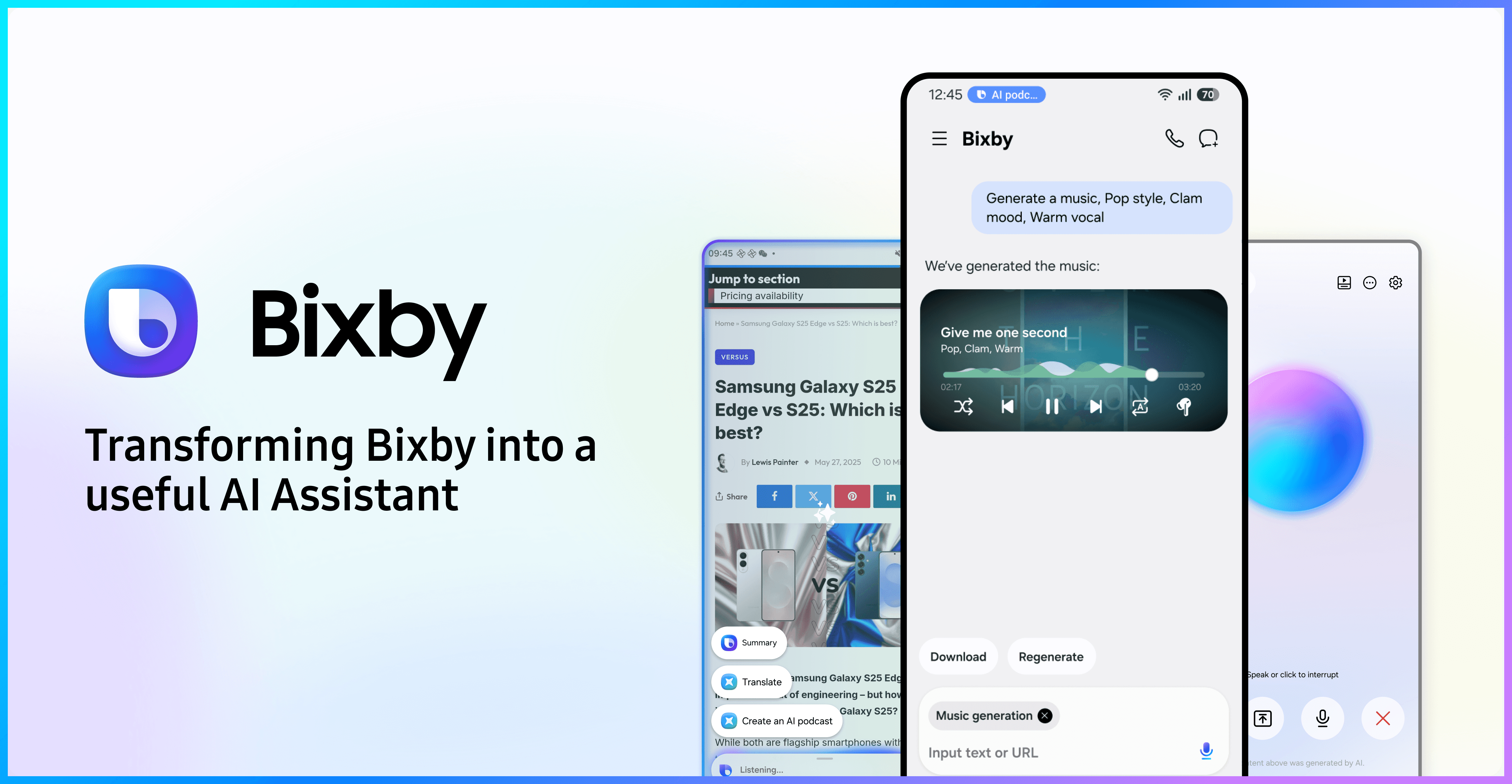
Bixby is Samsung’s system-level AI assistant, with over 4 million monthly active users. This project aimed to transform Bixby into a more practical and capable AI assistant by introducing a suite of AI-powered tools and real-time conversational (RTC) capabilities.
My role
Design lead: User survey, workshop, competitors research, design strategy, design ideation
the team
2 Design assistants, 2 Product manager, 20+ Developers
Timeline
Jul 2024 ~ Dec 2025

Old Bixby AI QA flow
What was the problem
When I took over Bixby , it was limited to basic Q&A interactions, returning generic text results. Many users felt it was not useful for solving real tasks, highlighting the need to evolve Bixby into a more practical AI assistant.

User survey
With interviews with 20 AI-experienced users, a key insight emerged: Users expect AI to help complete real work and life tasks, not simply providing generic responses.
Understand users’ needs
From the interviews, we identified 3 primary user needs:
Personalization
Expect AI to deliver results tailored to their specific needs.
Efficiency
Want to quickly learn and adopt new AI tools to improve productivity.
Effortless Interaction
Prefer hands-free conversations with AI, without constantly tapping the screen.

The goal was to transform Bixby from a traditional voice assistant into a more capable AI assistant that supports real user tasks. Working within complex stakeholder constraints, I introduced practical AI features and established unified interaction guidelines to ensure a consistent and scalable AI experience.
Create new AI agents as utility toolkit
Design target
Key insight of user research
Our design target
Expect AI to deliver results tailored to their specific needs.
Introduce a set of scenario-based AI agents that provide personalized solutions for real user tasks.
Understand users’ needs
Based on insights of user interview, we prioritized 5 generative AI agents that address 80% of user scenarios.
Entertainment
Productivity
AI podcasts
PPT generate
Translate
“I want to explore and learn a topic deeply in a fun way.”
“I’d rather listen to the answer instead of reading.”
“I need fast translation for documents and emails.”
“I wish the content to be more organized, and easy to share.”
Music generate
Video generate
“Putting an AI videos on my social media is super cool.”
“I need to create my own background music for my video.”
Bussiness constraints
Bixby is a system-level product involving multiple stakeholders, feature details and decisions were heavily influenced by business and technical constraints.
Korean Design Center
Samsung Design China
Bussiness Center
Development Center
Defined the core Bixby AI interaction
Led the experience design of new features
Focused on partnership and monetization
handled implementation with a limited engineering team
The experience of new features had to remain consistent with existing core features.
UX often conflicted with CP’s requirements, causing frequent feature changes.
Limited engineering resources constrained design implementation.
My place
Design strategy
Given the business and technical constraints, delivering a perfect solution in one iteration was unrealistic, I proposed a phased design strategy:
Phase 1: Deliver core functionality in the simplest form, ensure a timely launch aligned with business and engineering needs.
Phase 2: Improve the UX based on feasibility testing and competitive analysis.
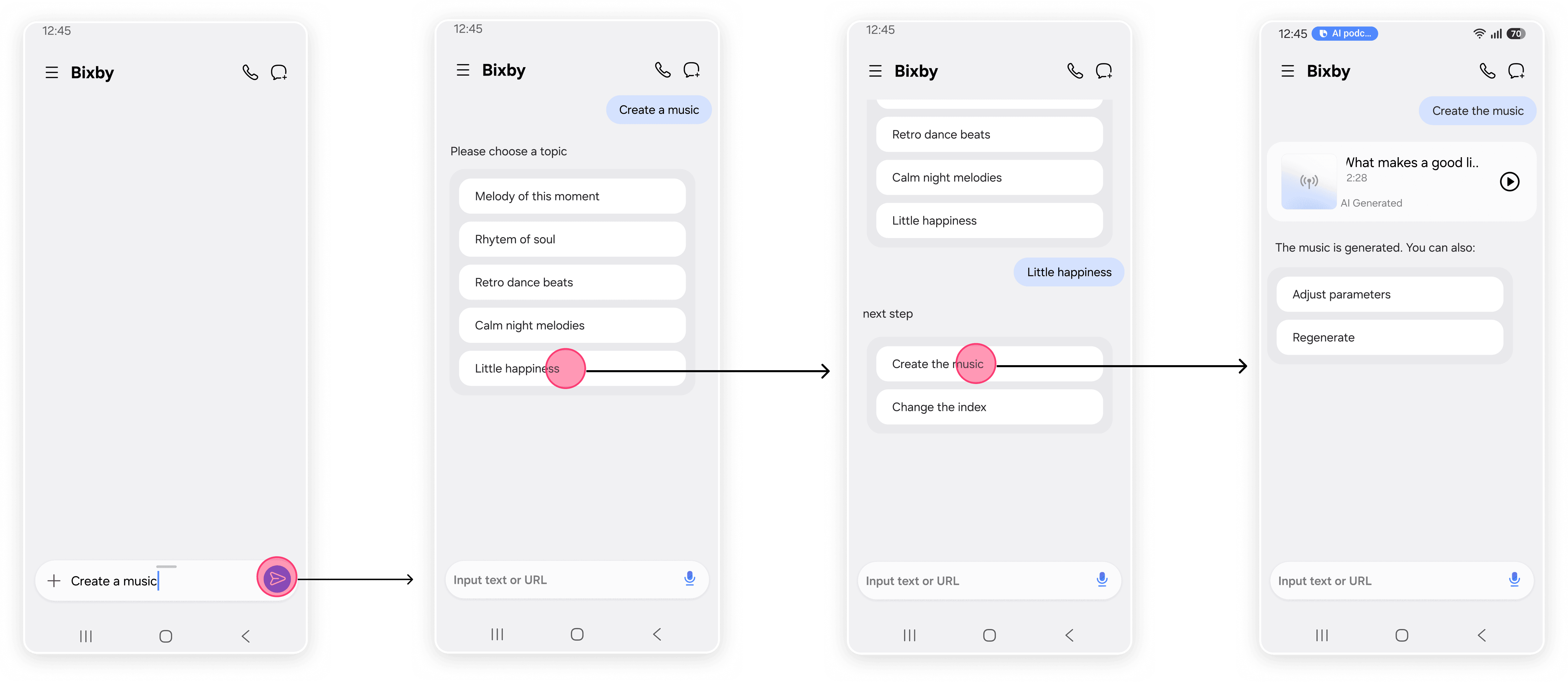
At the early stage, feature details were frequently changing due to business partnerships. To ensure fast delivery, I used Bixby’s existing conversational interaction for all AI agents. Within 3 months, we successfully launched the core functionality of 5 AI agents.
Solution
Stage 1: Run all AI agents following the current conversational interaction.
Main interaction of Music Generation agent
Key usage data
Key user feedback
Validating the solution
After launch, we tracked 2 weeks of usage data and conducted user testing.
Users were generally satisfied with the AI agents, but many reported frustration with the interaction flow, which felt complex and error-prone, leading us to focus on improving the interaction experience.
4.2/5.0
Result Satisfaction
Most users felt the AI-generated results met their needs.
1% <
Feature Adoption
Very few users tried the new AI agent features.
Low Error Tolerance
“Once I choose a parameter, it’s difficult to change it. Every step feels tense.”
Key insights from competitors
Agent name
index
Agent
Agent
Agent
Agent
Try this task with Agent 1
Try this task with Agent 2
Try this task with Agent 3
index
Competitors research
I believed the deep entry and multi-turn interaction flow were the main reasons behind the poor experience.
To explore more efficient interaction patterns, I analyzed six leading AI products and found out:
Embedding parameters directly in the input field significantly improves efficiency.
Proactively recommending relevant tools increases feature discoverability.

Doubao

GPT

Grok

Gemini

Yuanbao
Information architecture optimization
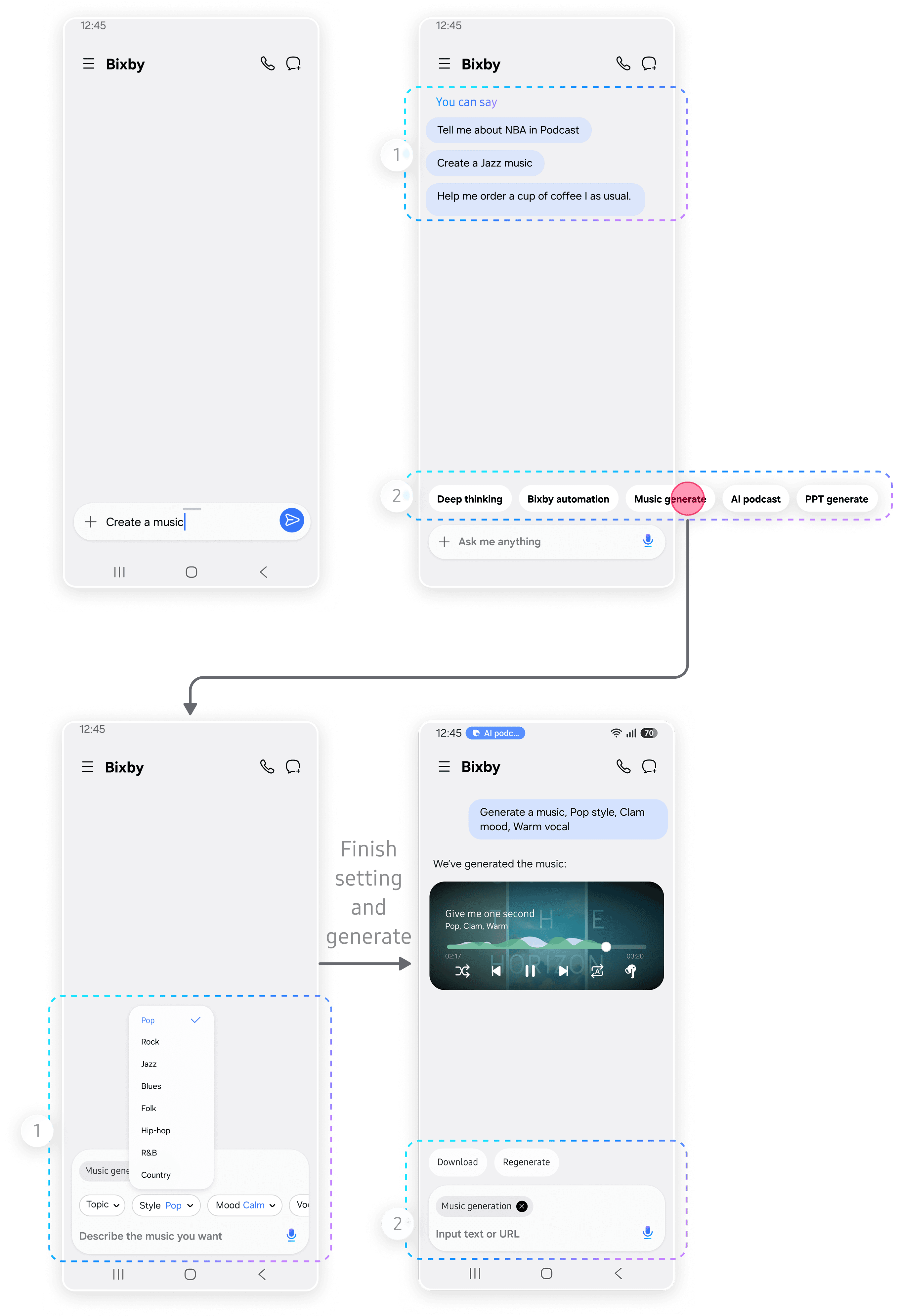
I redesigned the Agent flow in two ways:
Integrated key parameters directly into the input field, allowing users to configure them naturally.
Introduced proactive recommendations, helping users find features without manually typing in.
Current IA
Optimized flow
Select agent manually
Choose recom-mended agent
Enter prompt
Set parameter 1
Set parameter 2
Set parameter n
View available parameters
Select parameter to modify
Adjust parameter
Configuration complete
Configuration complete
Submit request
Submit request
Interaction Redesign
Increase visibility of AI agents by adding entries in home page.
Integrate parameter settings into the input field, making customization more flexible.
Before
After
1
1
2
2
Proactively recommend AI agents with clear task suggestions to help users quickly understand what each agent can do.
Optional parameter configuration allows users to personalize results while maintaining control of the process.
Add an AI agent entry above the input field using a capsule layout, enabling quick access to them.
Follow-up actions after generation are displayed as capsules above the conversation area, keeping the interaction consistent.
AI podcasts
PPT generate
Translate
Music generate
Video generate
Implementation
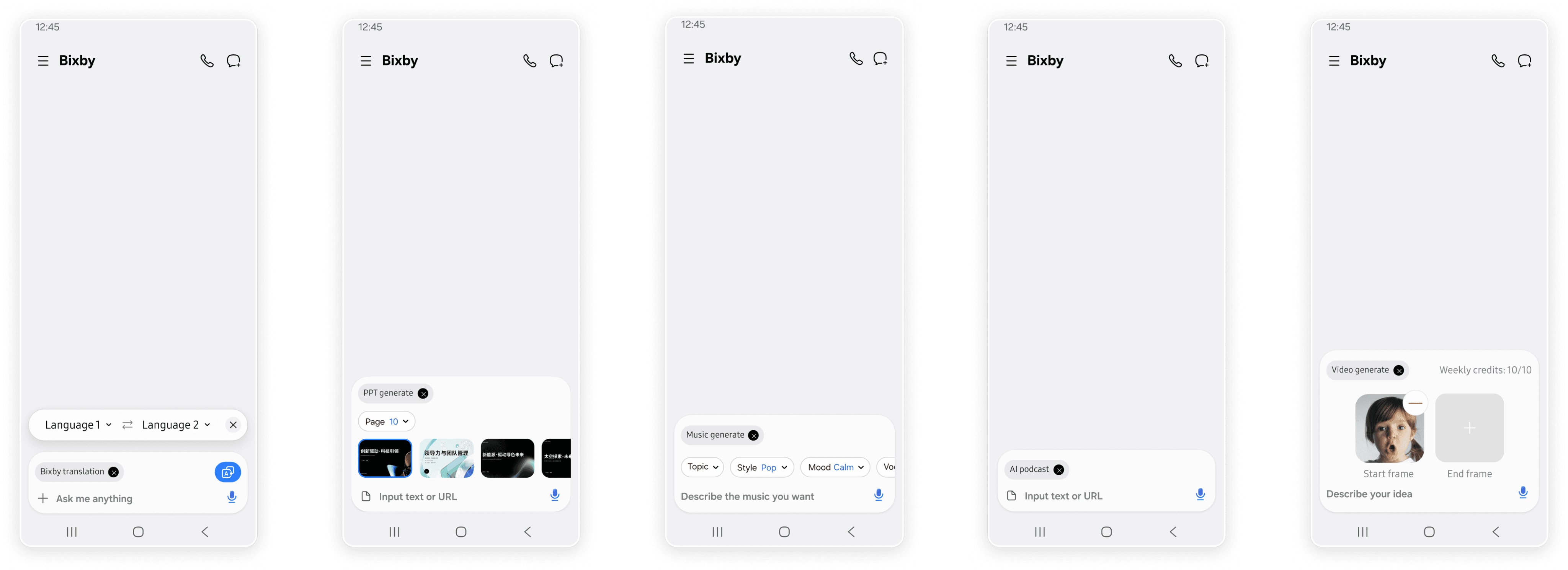
In the first release, we launched 5 AI agents with a unified interaction structure, which later became the design guideline for future agents.
Trade off
Although the redesigned received positive feedback in UT, implementation faced strong resistance from Korean Design Center.
After further discussions, I realized the key limitation:
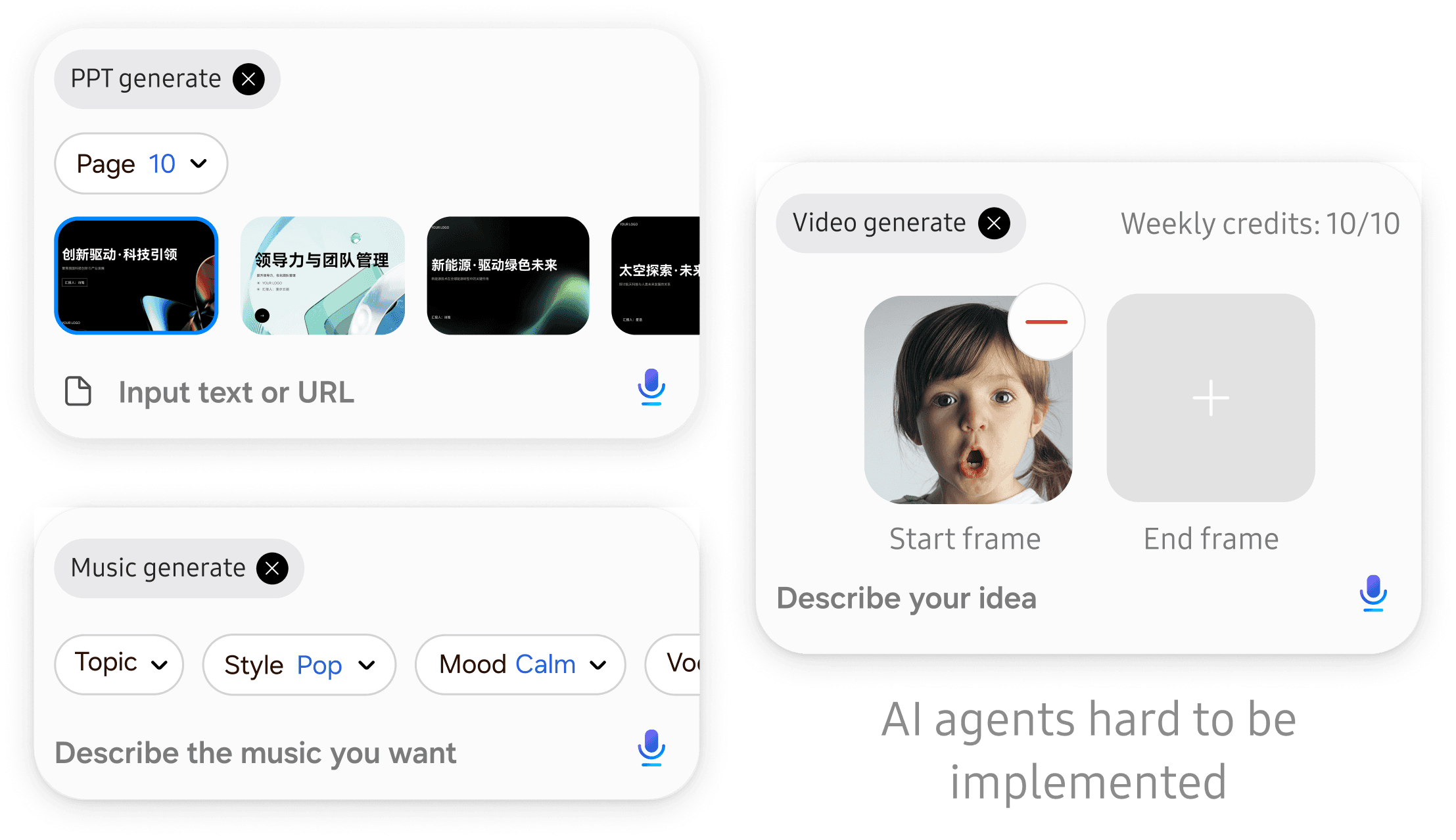
Interactive components were hard to be embedded directly inside the input field in the current system architecture.
Solution
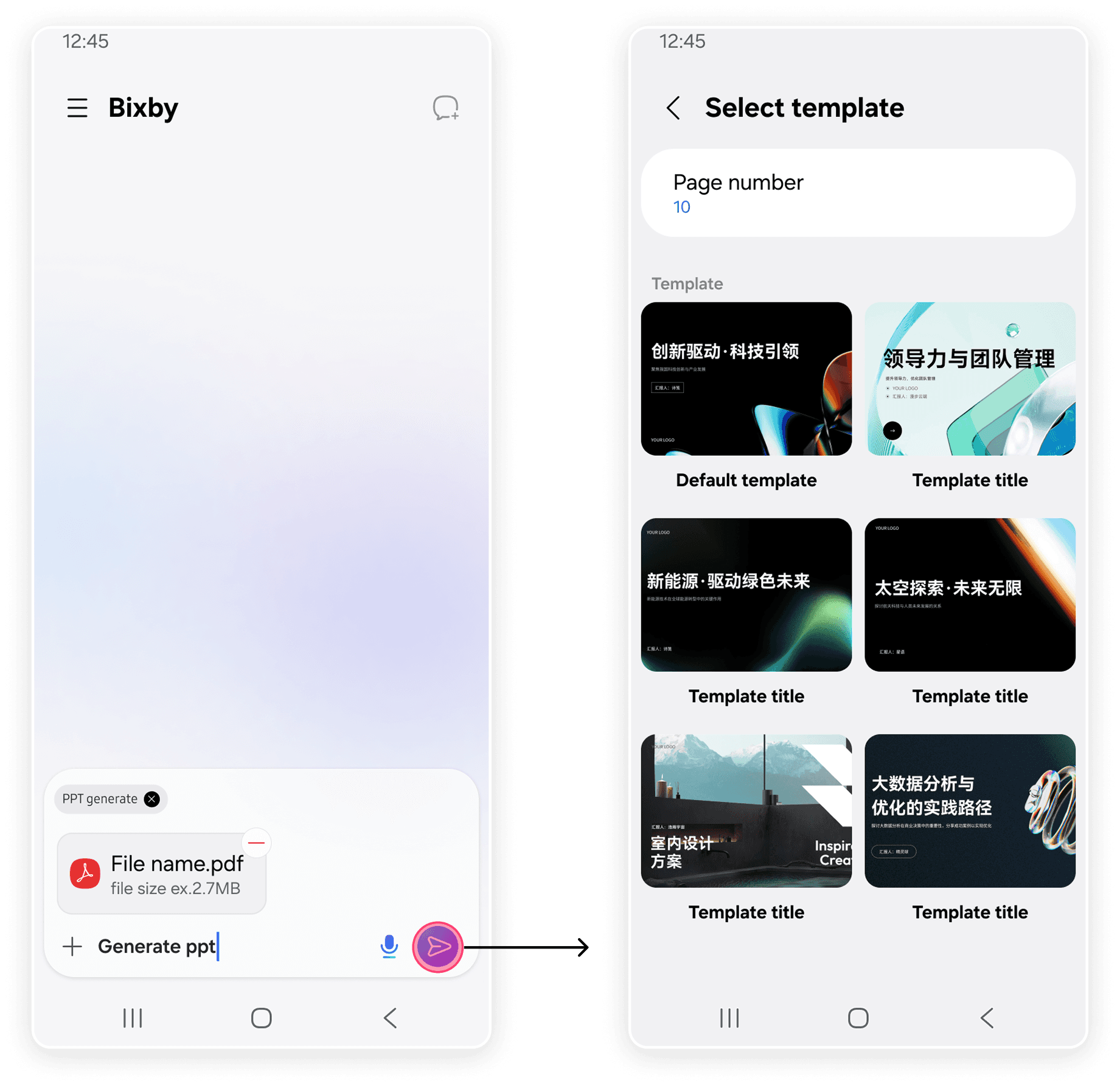
To work within these constraints, I redesigned the interaction by moving parameter configuration to a secondary page.
Although this introduced an extra step, it avoided the current limitations and allowed greater flexibility for complex agents.
User test
We tracked 3 months of usage data and collected survey voices from 101 users.
“AI podcasts are amazing — AI is evolving so fast!”
“It can generate a full PPT directly!”
“Bixby finally understands what I want.”
Some verbatim feedback
90.1%
Users preferred the new version over the previous design.
62.4%
Users used AI agents at least
twice per week.
52.6%
Users felt the new features were practical and fun to use.
User data
Intelligent recommendations
Design target
Key insight of user research
Our design target
新增AI实用工具体系
针对具体场景提供个性化的AI实用工具, 针对性地满足用户实际需求
Improve efficiency to learn new AI tools.
Want to quickly learn and adopt new AI tools to improve productivity.
Key insight of user research
Our design target
Users’ feedback
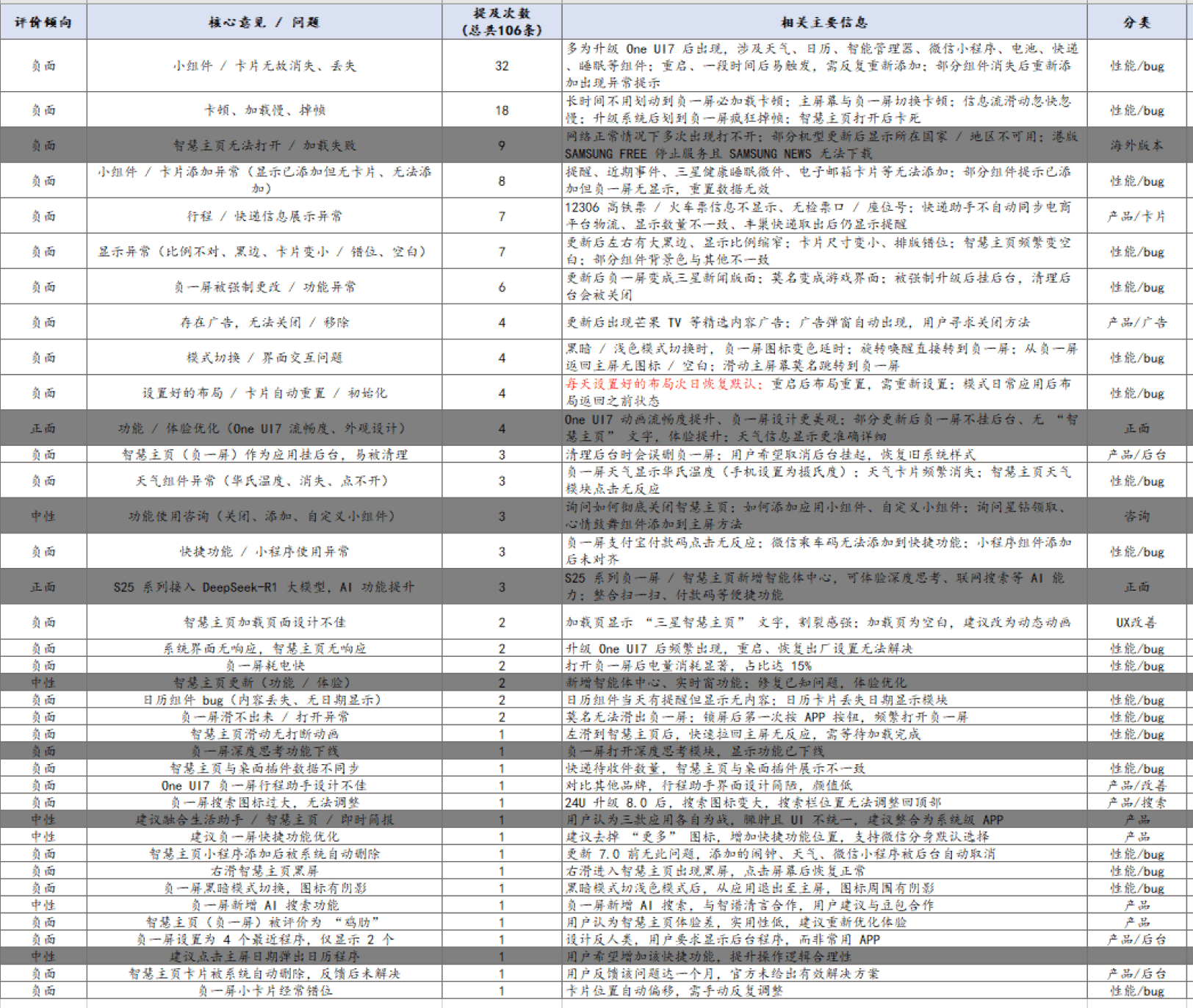
One month after launch, we collected user feedback and found that the 2 biggest efficiency pain points were:

Key insights
Entry point too deep
Only one entry point currently exists, requiring users to open the Bixby home first. In real usage, users rarely do this and expect to access the function directly from the current interface.
Users mentioned more use scenarios, such as problem solving and travel planning.
Many users are not aware that these AI tools are available.
Feature types need further expansion
New feature awareness
Mentions
Details
1
2
AI tools were difficult to discover, as the entry points were too deep in the product.
Users were unaware of new features and did not know how to use them.
Understand the problem
Current flow to use an AI tool
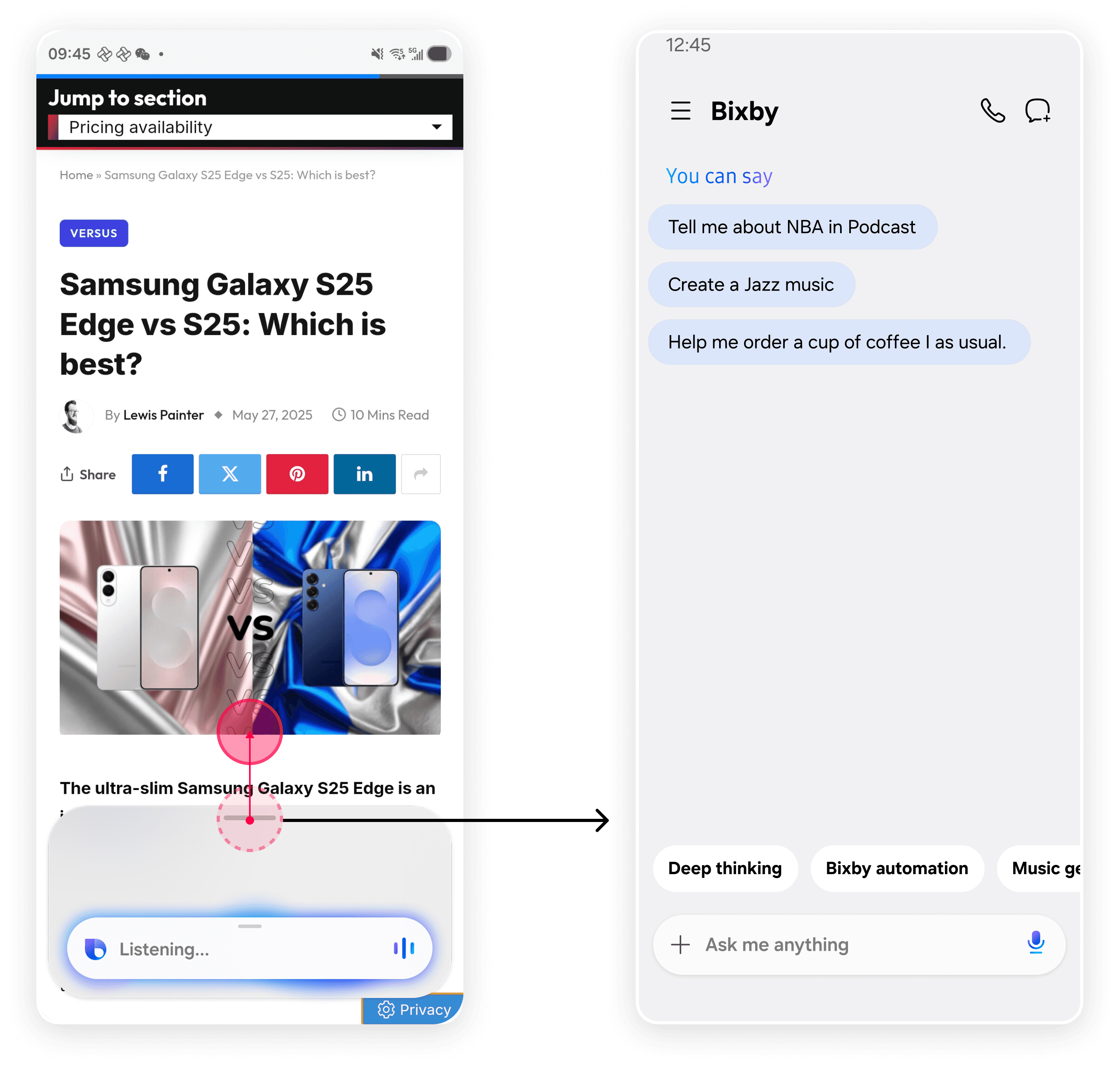
Step 1: Active Bixby and swipe up the chatbox to enter it’s main page
Step 2: Find a proper AI tool manually
low discoverability: To access AI agents, users had to enter the Bixby main page first, which interrupted their current task.
high decision cost: Users had to manually browse and evaluate multiple agents to find the right one, making the process time-consuming and inefficient.
Solution
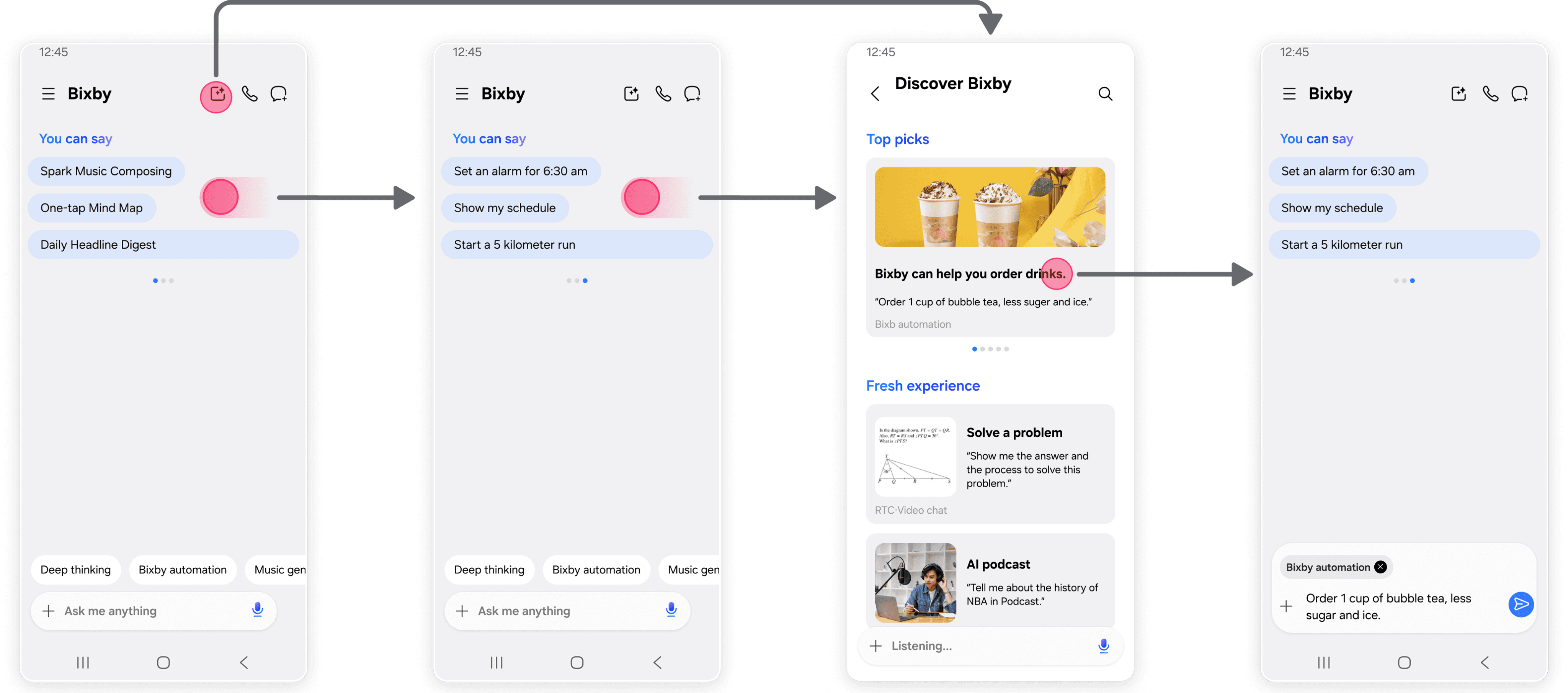
1
2
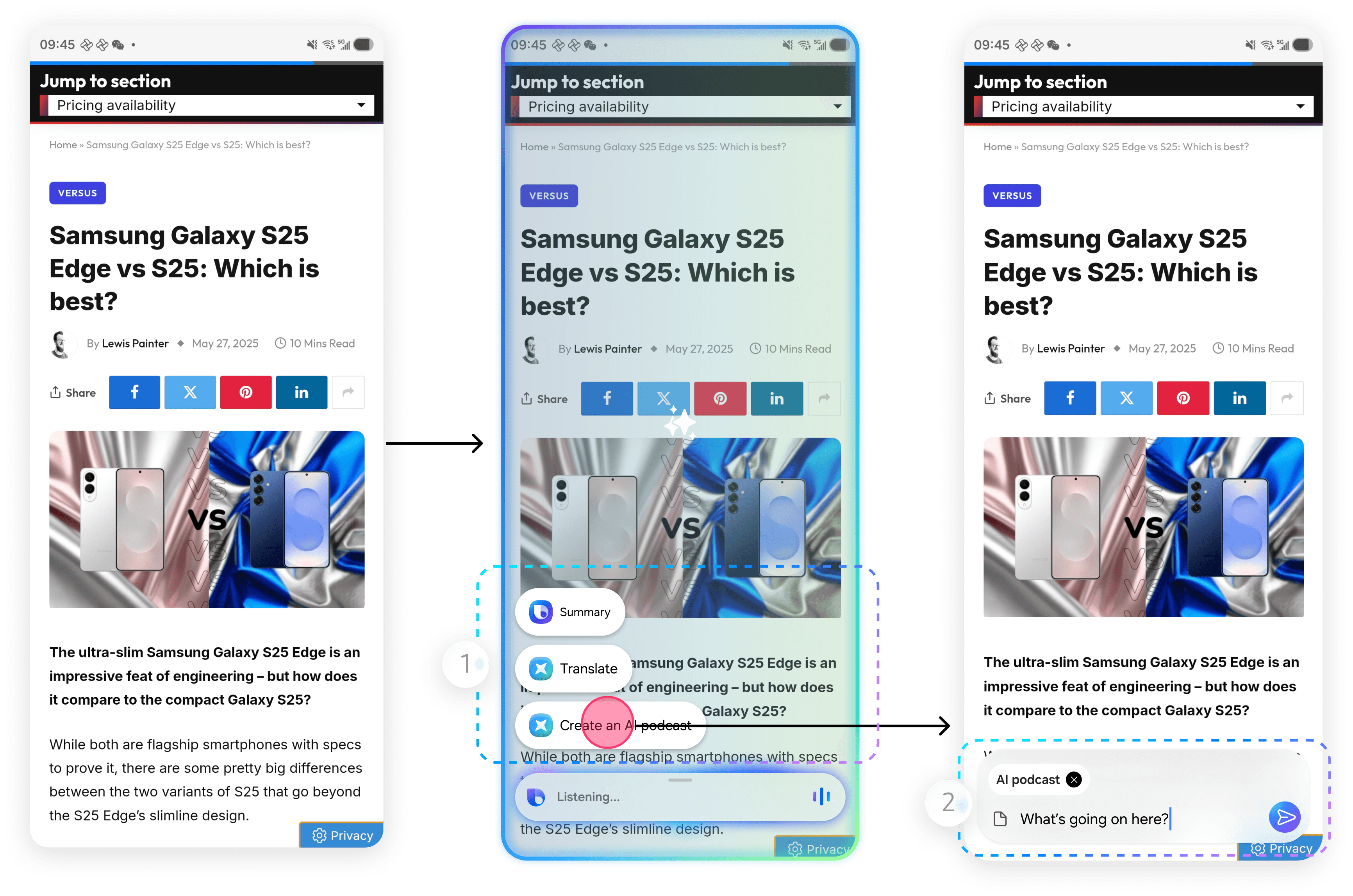
Detect on-screen content and automatically recommend relevant AI agents.
Users can configure and execute AI tools directly on the current screen, without switching pages or interrupting their task.
The current flow required jumping between pages, which created a fragmented experience. To address this, I leveraged Screen Understanding technology to design a no-navigation flow.
We also introduced a Discovery Center that showcases AI capabilities and usage scenarios, allowing users to learn how each AI agent works via real examples.
User test
After launch, the usage of AI agents were significantly increased, and remained stable in the following months.
1D
1M
3M
1Y
32.7%
Real-Time Call (RTC) mode
Design target
Key insight of user research
Our design target
新增AI实用工具体系
针对具体场景提供个性化的AI实用工具, 针对性地满足用户实际需求
Introduce a better interaction, enabling users to have fluent and continuous conversations with AI.
Prefer hands-free conversations with AI, without constantly tapping the screen.
Old interaction
chatting with Bixby
Understand the problem
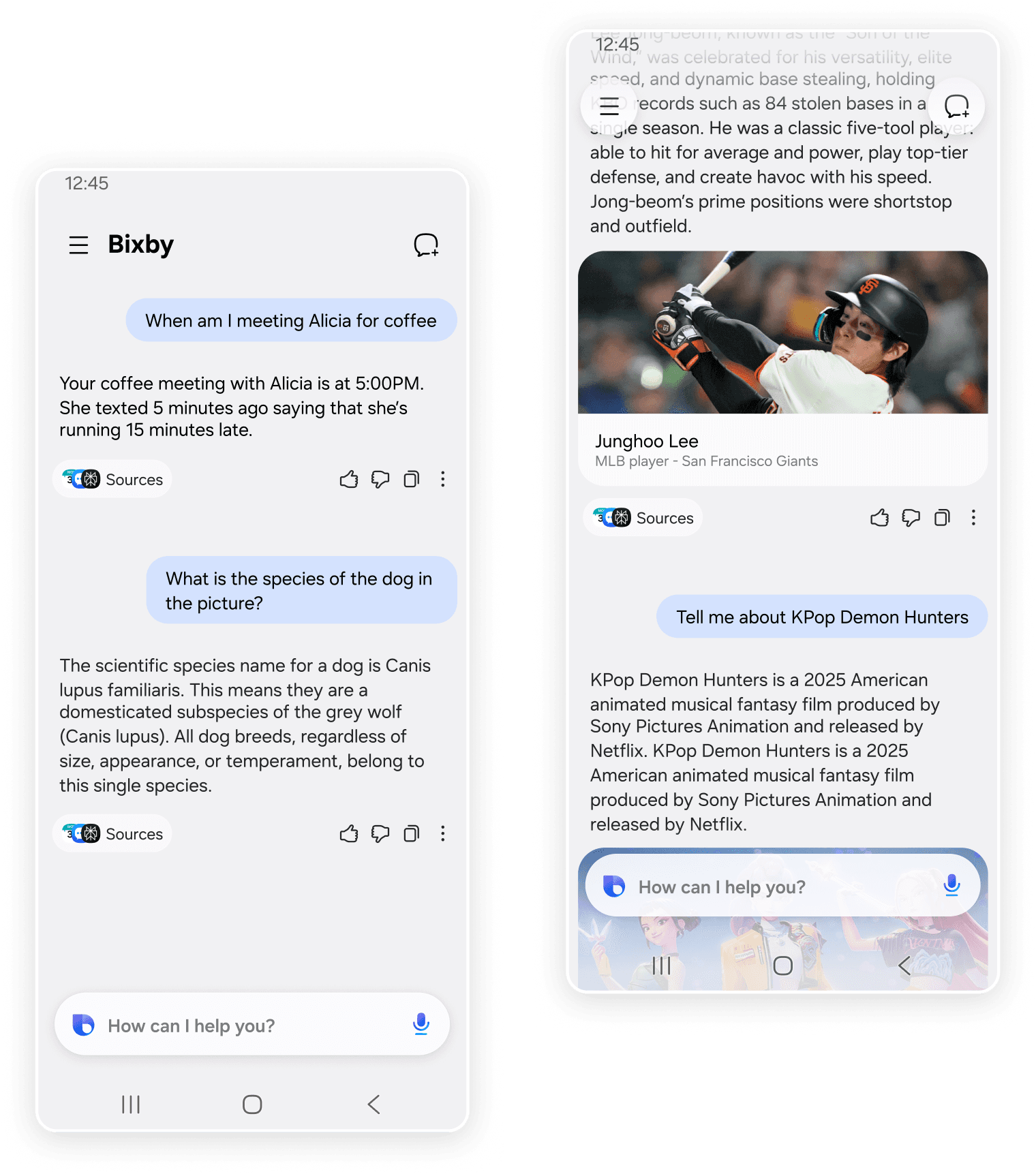
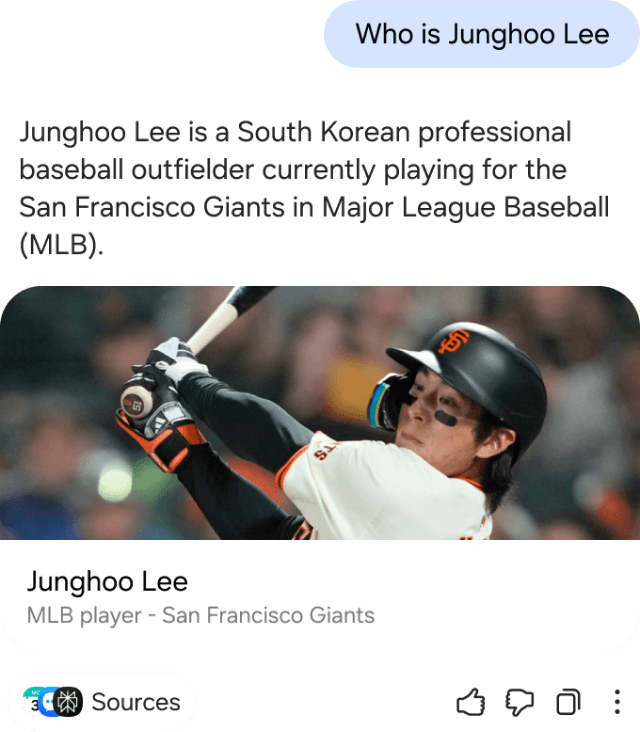
The current Bixby is limited to simple Q&A exchanges within the chat interface.
Users must repeatedly type inputs and read responses, which makes longer interactions inefficient and tiring.
Understand users’ needs
Cooking guidance
Mock practice
Research assistance
Emotional support
Travel planning
Daily Q&A
File processing
Creative inspiration
In user analysis, I realized multi-turn AI conversations are needed for personal and complex tasks. Then I identified several key scenarios most users needed:
43%
users require multi-turn conversations to complete personalized and complex tasks.
64%
users felt the current interaction was inefficient during multi-turn conversations.
The key scenarios users need AI
The core issue was that the chat-based interaction was not suitable for longer, task-oriented conversations with AI.
Solution
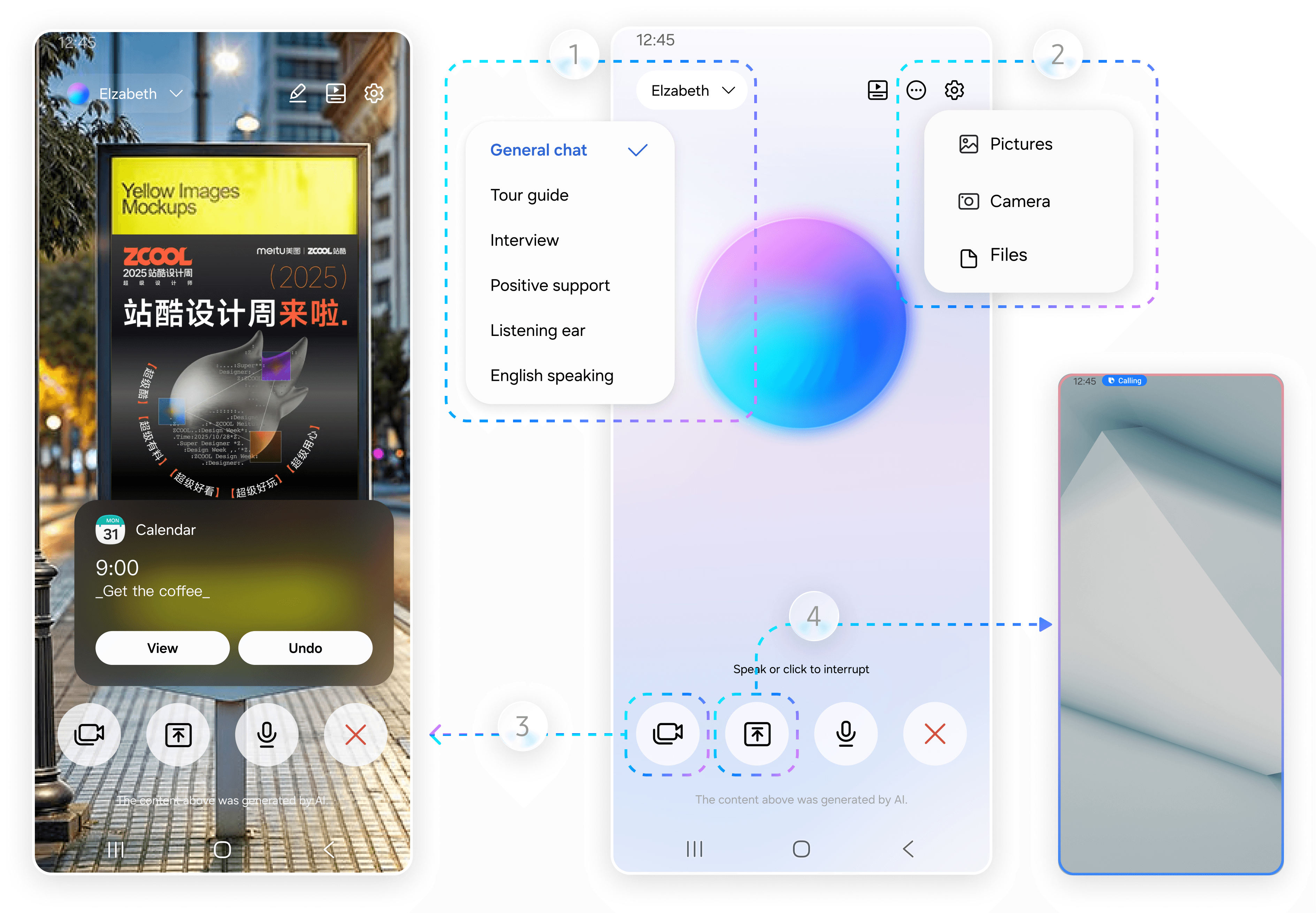
We introduced Real-Time Call simulating a phone call with AI. The interaction shifts from manual typing to continuous voice conversation.
1
3
2
Scenario-based conversation modes
Covers most of the key scenarios, providing more targeted assistance.
File-based conversations
Users can upload files and discuss the content with AI during the call.
Camera-based understanding
Bixby can analyze images captured by the camera and provide contextual responses.
On-screen context awareness
Bixby can observe the current screen and talk about the content in real time.
4
Validation
62%
Users used the RTC feature at least twice a week
83%
Users believed the feature was useful
>40
Users felt confused or anxious about status
Within one month of launch, we evaluated the RTC feature through usage data, surveys, and feedback from the Samsung community.
The results showed strong interest in the RTC mode, but also revealed an important issue: While we focused heavily on adding features, we overlooked the core conversational experience.
Understand the problem
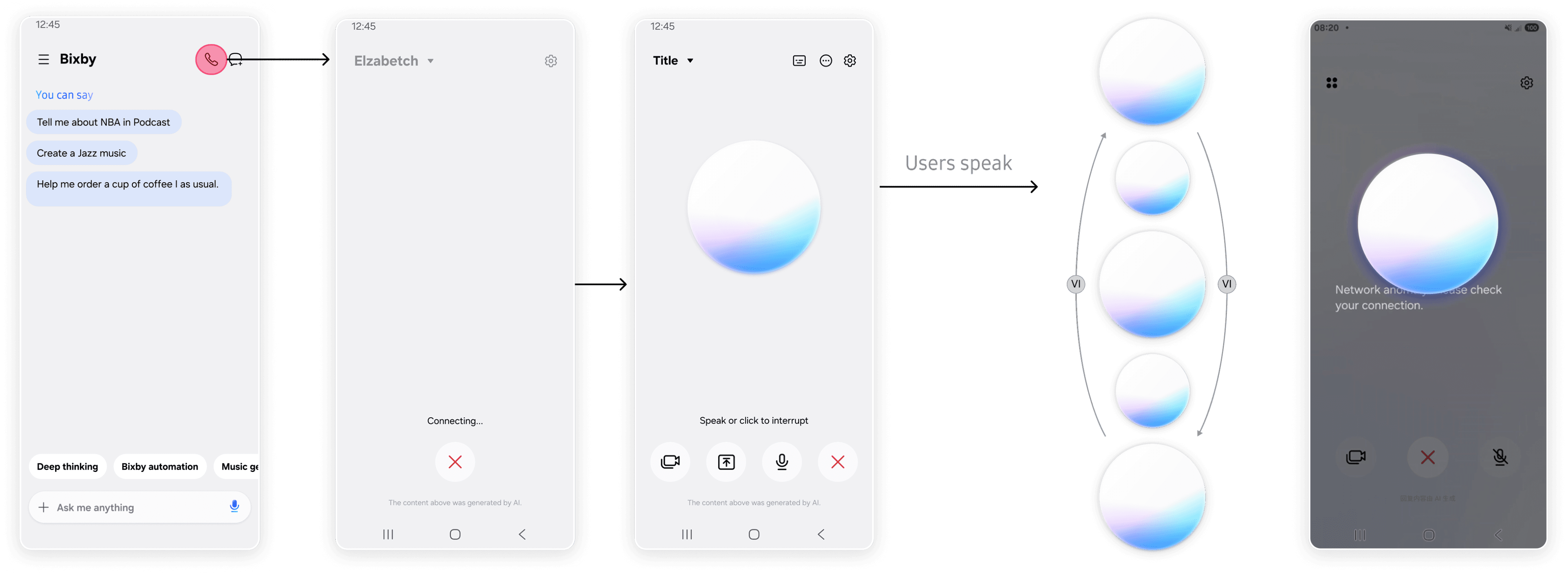
Call AI
Standby
Listening→Speaking
Error
Abrupt connection transition
When the call connected, the interface changed directly from a blank screen to the AI orb, making the transition disconnected.
Unclear listening and speaking states
The animation during the listening–speaking cycle lacked clear transitions.
Overly negative error feedback
The full black error screen felt too harsh and created discomfort.
Users expect a clear visual transition when the AI call connects.
Users expect visual feedback showing the AI is receiving their speech, with animations that respond to speaking pace.
Users expect quick responses, or a clear loading state when processing takes longer.
Users expect a state distinct from listening, with softer animations to stay focused.
Users expect clear feedback about what went wrong, visually distinct from normal conversation.
Calling AI
Listening
Standyby
Thinking
Speaking
Error
User survey
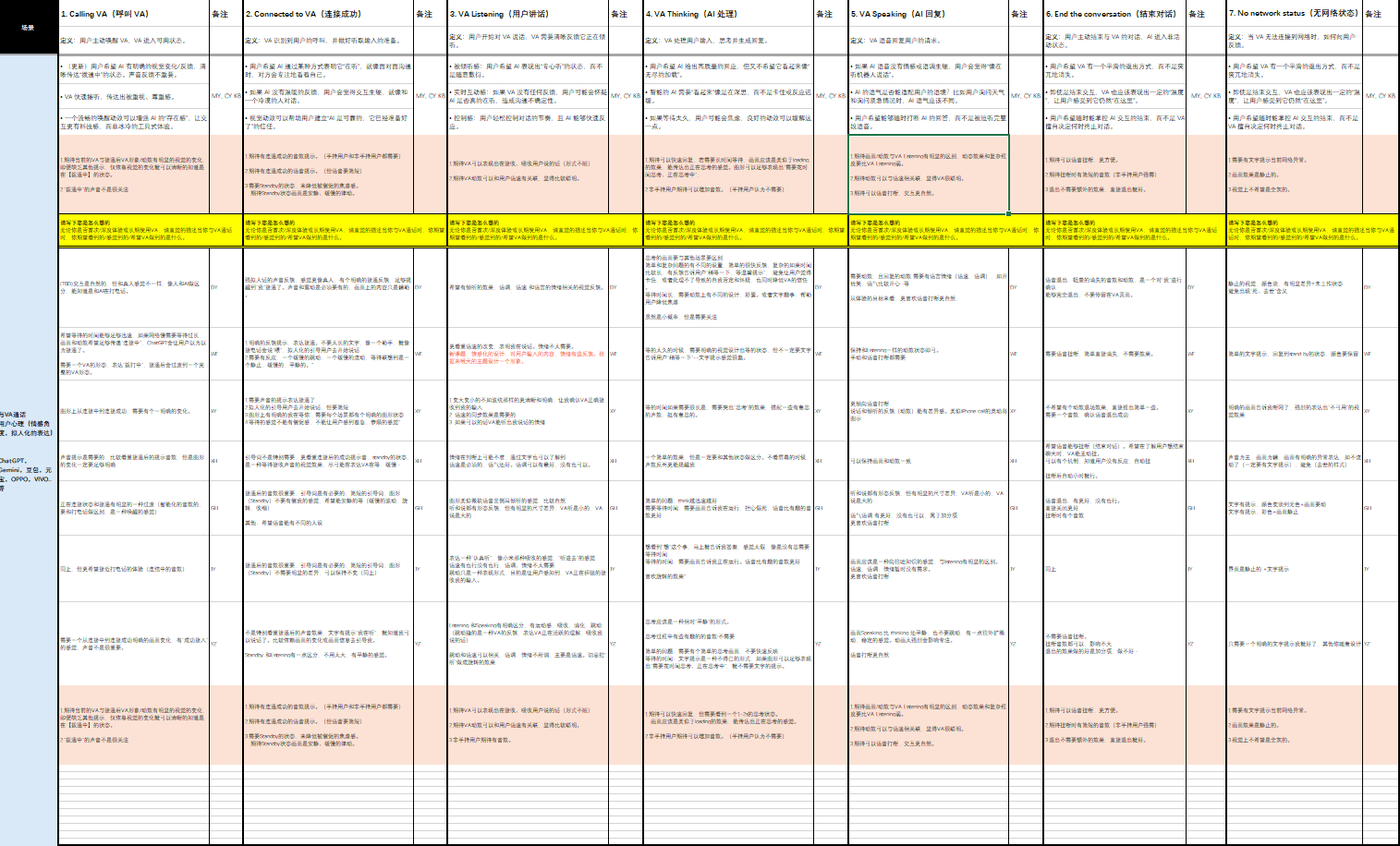
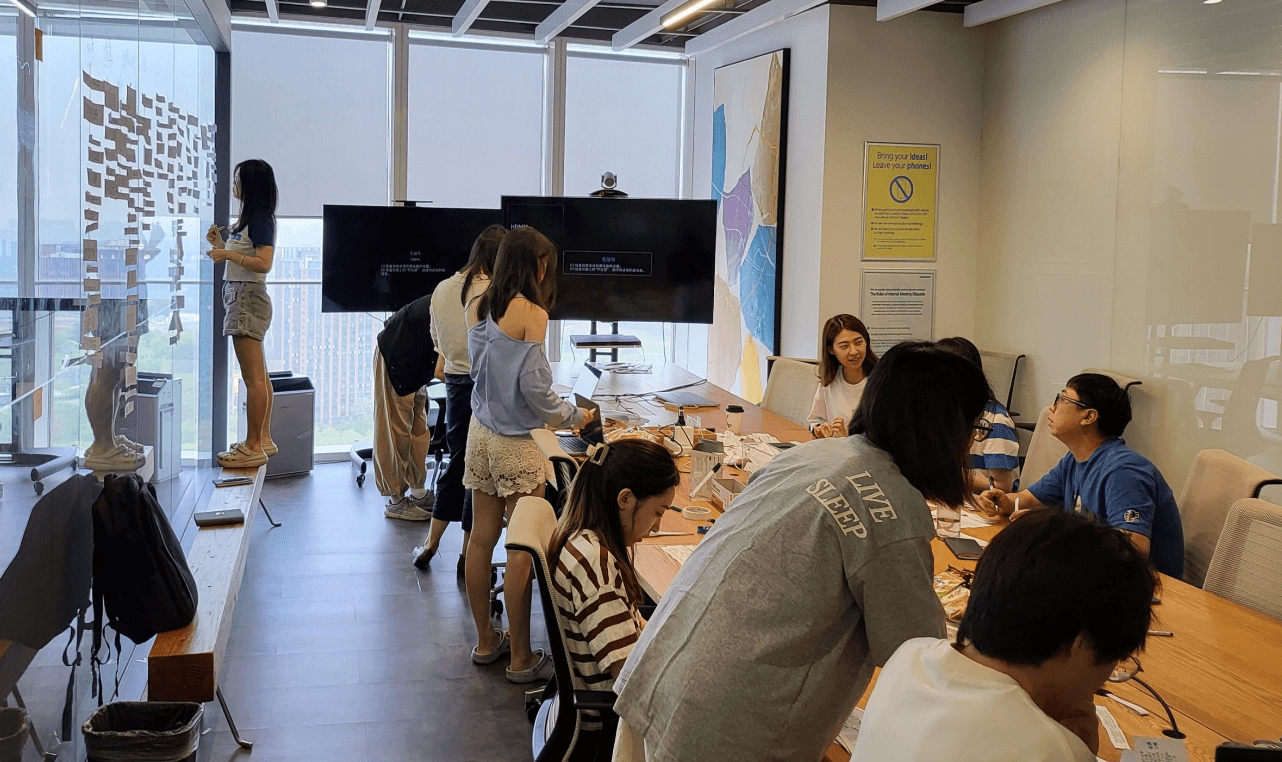
To improve the conversational experience, we interviewed 18 users to understand their expectations at each stage of the AI conversation.
Competitor research
I conducted a competitive analysis of leading AI products’ RTC experiences, evaluating each interaction stage to define our product’s design principles.
Calling AI
Listening
Thinking
Speaking
Error




Presence
Focus
Perceived Intelligence
Focus
Clarity
Response Speed
Input Visualization
Anxiety Relief
Flexibility
Warmth
Provide a clear connection state so users know the AI is ready.
Show clear feedback that the AI is receiving the user’s speech.
Keep the interaction simple while clearly indicating the AI is processing.
Visually distinguish speaking from thinking and allow users to interrupt anytime.
Provide clear error feedback without overly negative visuals.
Solution
Based on research insights, I defined design principles for each interaction stage.
Calling AI
Listening
Thinking
Speaking
Error
User test
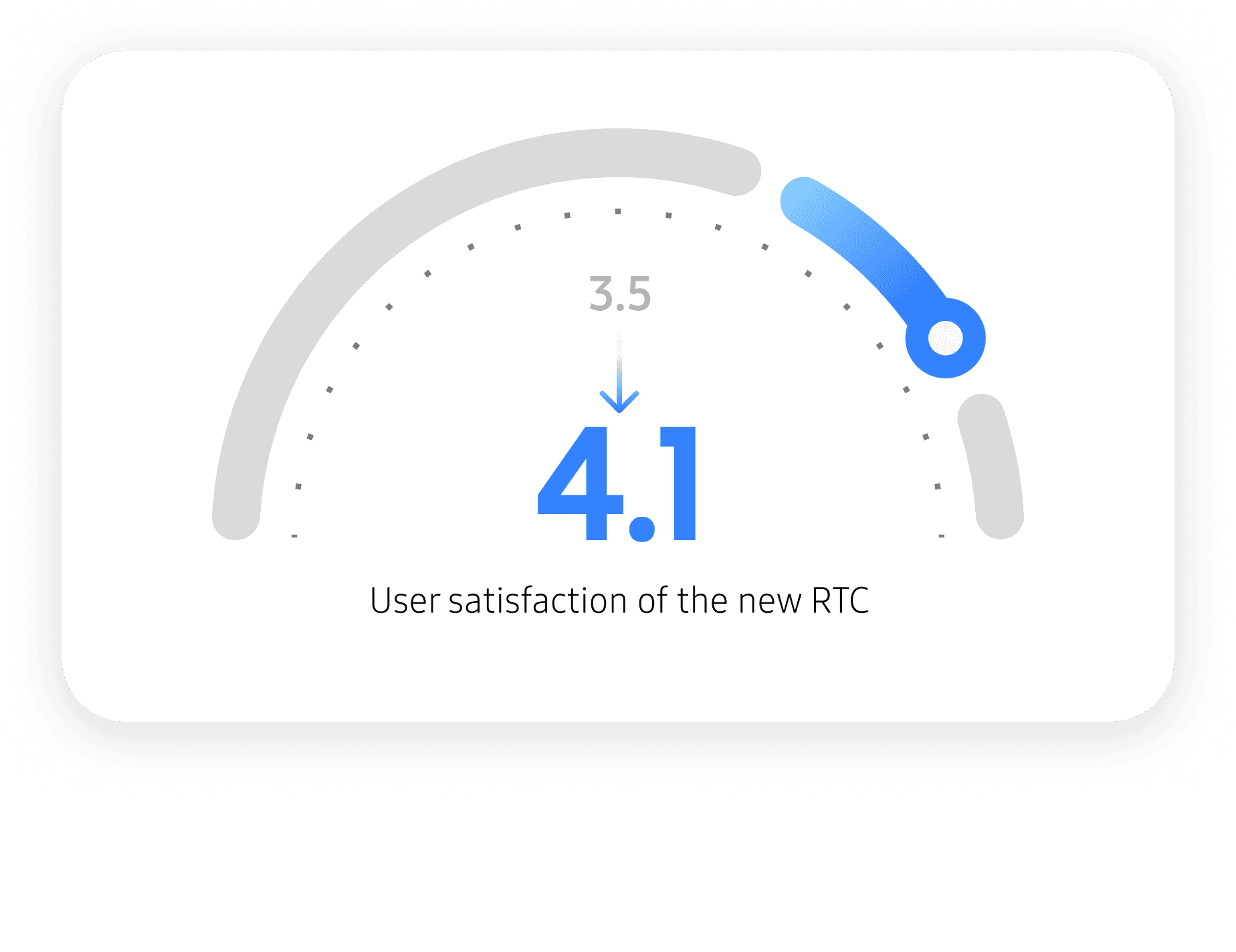
We tracked 3 months of usage data and collected survey feedback from 101 users.
Reflection
The best solution isn’t the “best experience”, but the most suitable one.
The key is to understand the product’s strengths and constraints and find the solution that fits best.
Users often can’t clearly tell their needs.
Instead of relying only on feedback directly, we need to identify patterns through user behavior and research.
Product design goes beyond design itself.
A successful product balances business goals, user experience, and technical feasibility.
Leveraged system-level capabilities to create a more seamless interaction experience.
Analysis through user interviews, surveys, data analysis, and feasibility testing.
Balanced business collaboration, user experience, and technical implementation.
What I did in this project